Review Comments (0) Screenshots (4) Questions & Answers (0) Votes (0) Awards (7) Wiki  
-Please log in to rate
0 0/5 (0)
-FlashEmailCast
-2.0.0.93
-www.flashemailcast.com
-Shareware
- 316 people
Download Super Email Spider

1.68 MBDownloaded 306 times

 
Antivirus warning
This software is probably infected with viruses. Downloading and running it may cause damage to your computer. Click here to see antivirus report.

Review

This is a quick review

Super Email Spider is a fast and reliable way to build targeted email lists using the web. Specify keyword of the search and the spider brings you hundreds of addresses from web sites found by the search engine. This is called targeted email because the harvested emails associated with the keywords of your search and it is targeted to a particular and much more productive audience than justsending mass mailings to people who have no interest in your topic. Our collectorsupports all major search engines, such as google, yahoo. Another greatfeature of the tool is an option to search into domain like .com , .net , .ca It can spider including any html, CGI, PHP, ASP page etc. Super Email Spider saves your email address lists in a text file. And you can import these address to bulk email sender software to send them out.Besides to spider email address, Super Email Spider can also help you to validate, organize, and manage emails found. It is a must for those who want to collect large amounts of email addresses, and target your advertising for your product, website, or business conveniently and efficiently.
 
The following full-length review applies to version 2.0

With Super Email Spider we can extract emails from all the web, this program can search and find it for keywords or Url.
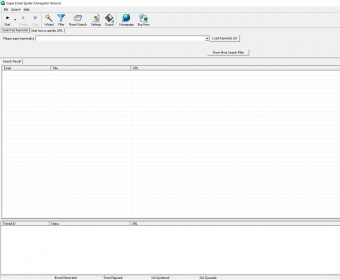
When we open the program we can see a Menu Bar, one toolbar, two tags and two windows.
To use it we must to put the keywords that we want and the program when we click the button start the program collects all the emails from pages with this keywords.
The program can extract emails from differents search engines like: Google, Lycos, Iwon, Excite, Lycos, etc. Or we can choose to extract them from a specific URL.
In the Settings we can use a proxy server and a proxy port too, in the search engine tag we can select or deselect it, we can change the search options like Maximum search depth, Maximum extracted emails, Maximum search duration time, Maximum email addresses of a single web page and more.
In the Google tag we can select Extract emails from similar pages of search results or Extract emails from the whole site of search result and in the other tag we can add phrases that we want to ignore in our searchs.
We can export our results to a text file this means that we can load our list in any program for send mails.
Advantages
  • Can extract emails from differents search engines like: Google, Lycos, Iwon, Excite, Lycos, etc.
  • Can export our results to a text file.
Disadvantages
  • Has no disadvantages.

Reviewed by: Paula Ledesma

Reviewer rating: Editor's rating 5

Screenshots

Main Window Main Window Super Email Spider Super Email Spider Super Email Spider Export Super Email Spider Export Super Email Spider Settings Super Email Spider Settings

Latest comments


There are no comments, be the first one!
Add new comment
Tag cloud
Download siClient

Email Address:

Password:

Register now »

Forgot password?

Copyright © 2009, Informer Technologies, Inc. About| Privacy and terms| Help| Feedback